
HOW IT WORKS
From search
to instruction.
Find relevant counsel, review interest and move towards a confirmed booking. Here’s how the process comes together.
BEFORE YOU START
A few details.
A clearer starting point.
The hearing
Date, time, court or region, attendance format and expected duration.
The expertise
Practice area and any experience, seniority or language requirements.
The practicalities
Budget or funding arrangement, deadlines and a clear outline of the work.
Have relevant conflict information ready for the appropriate stage of the instruction.
THE PROCESS
Your next instruction,
step by step.
01
Search and filter.
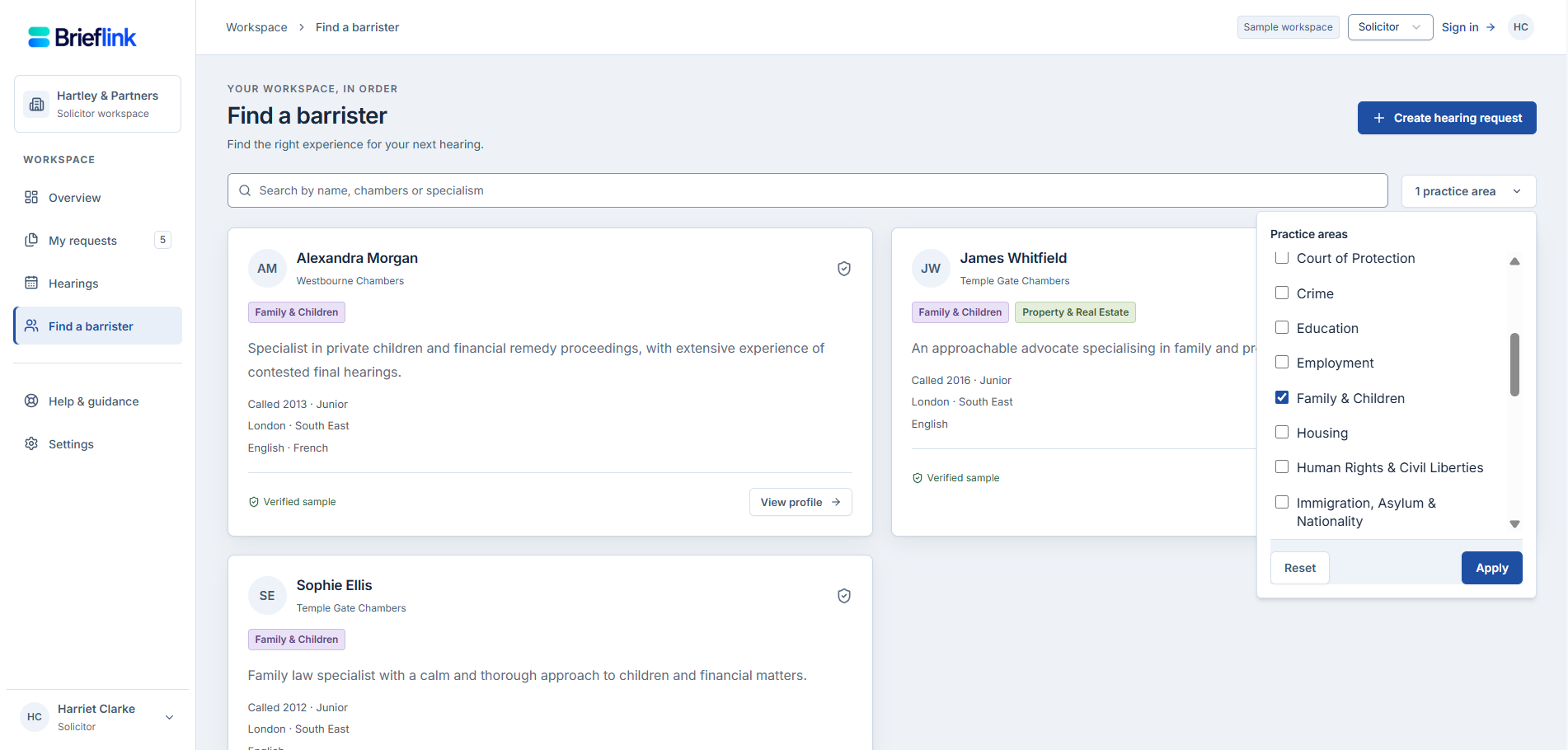
Start with the barrister directory. Search for counsel and narrow by practice area, then review profiles for relevant experience, location and suitability.
Use the hearing’s requirements to guide your search, including availability and budget.
PRODUCT IMAGE SPACE 1
Search results and practice-area filters
Recommended: 1600 × 1000 px · 16:10
Use fictional demo data.
02
Share the hearing.
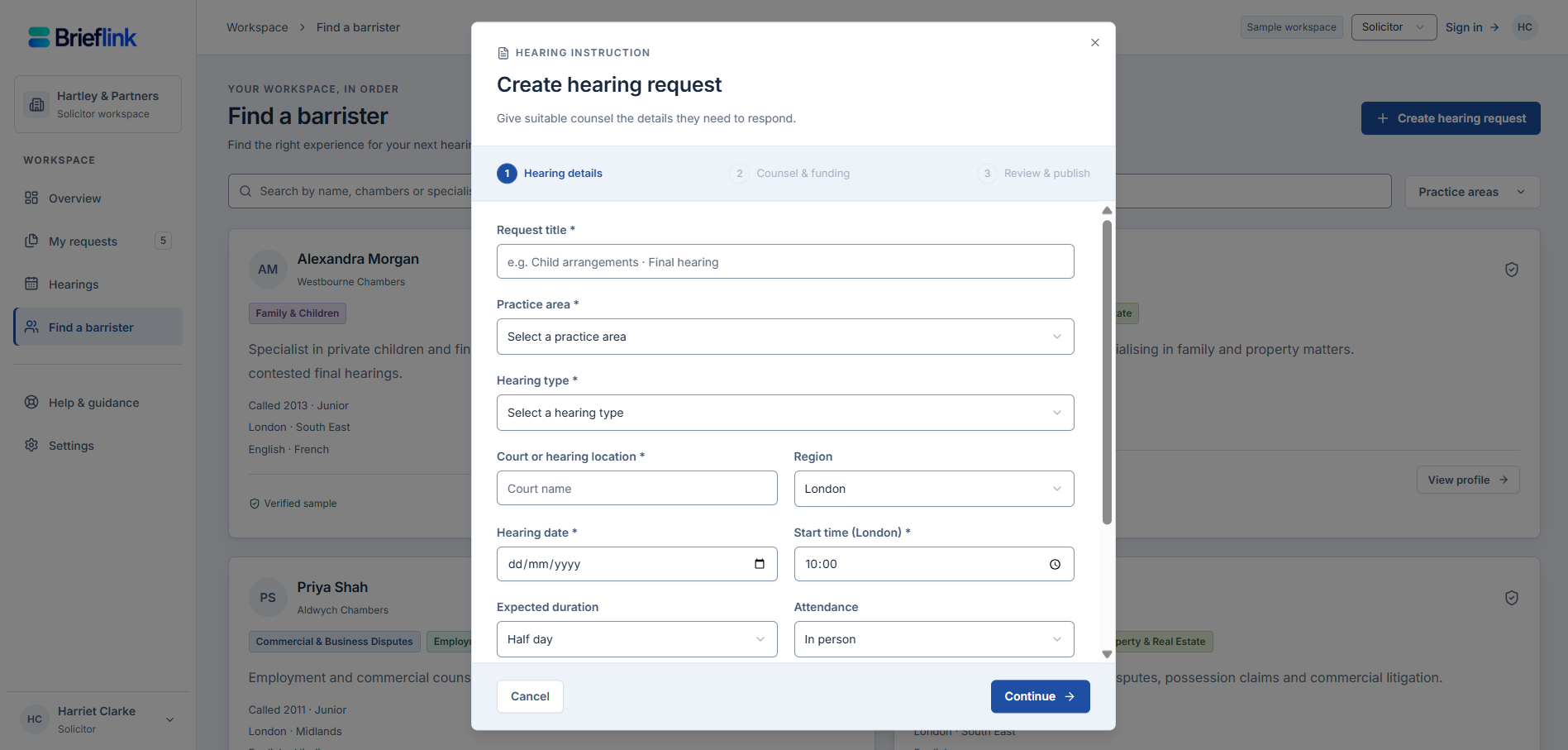
Create a hearing request with the date, court or region, attendance format, duration and funding details. Add the experience you need and notes for counsel.
You can invite a barrister to the request and review expressions of interest in one place.
PRODUCT IMAGE SPACE 2
Hearing request form
Recommended: 1600 × 1000 px · 16:10
Use fictional demo data.
03
Review and shortlist.
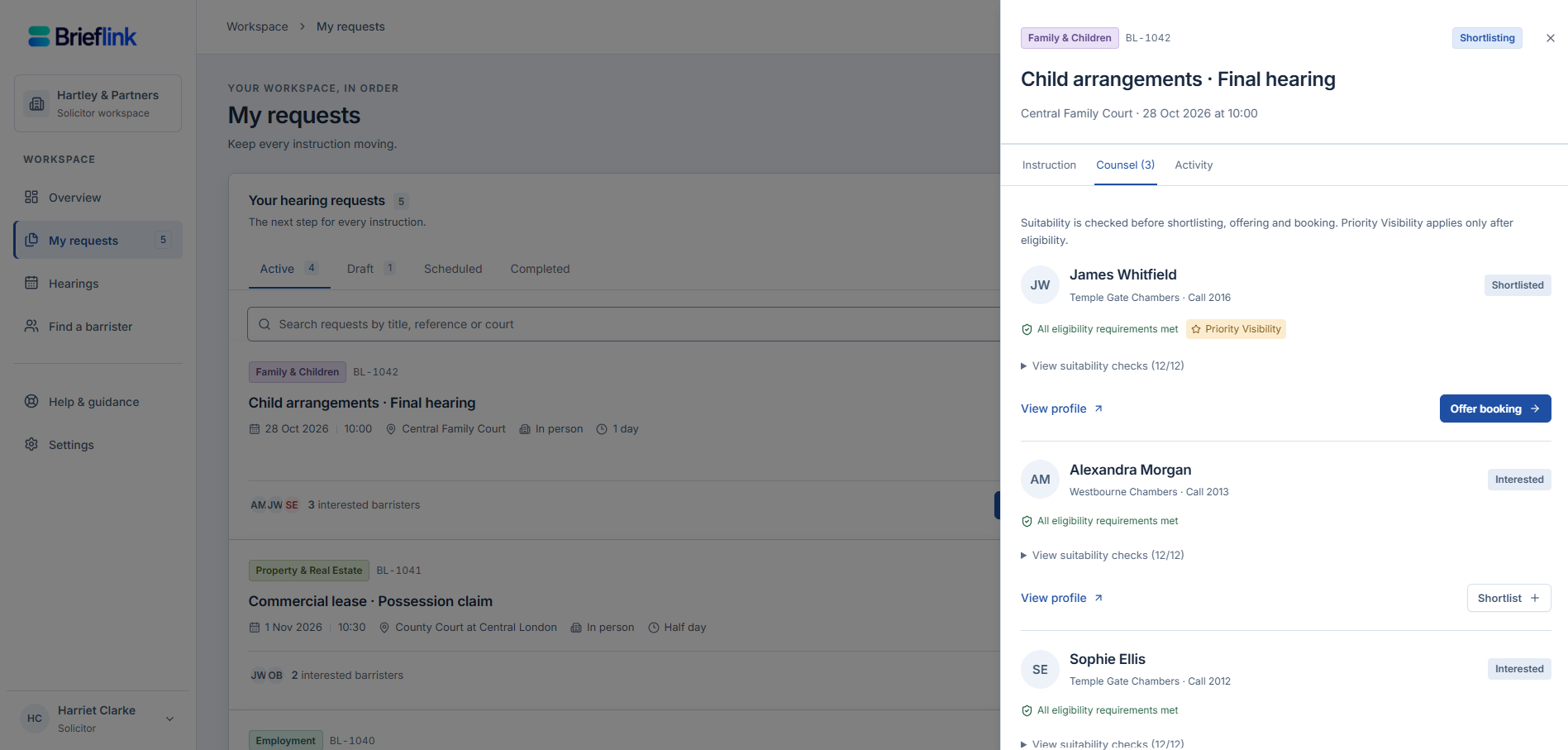
Compare interested counsel, open their profiles and review suitability information against the request. Shortlist the barrister you want to take forward.
Clarify the scope, availability, fees and any outstanding questions before offering the booking.
PRODUCT IMAGE SPACE 3
Interested counsel and shortlist
Recommended: 1600 × 1000 px · 16:10
Use fictional demo data.
04
Offer. Accept. Confirm.
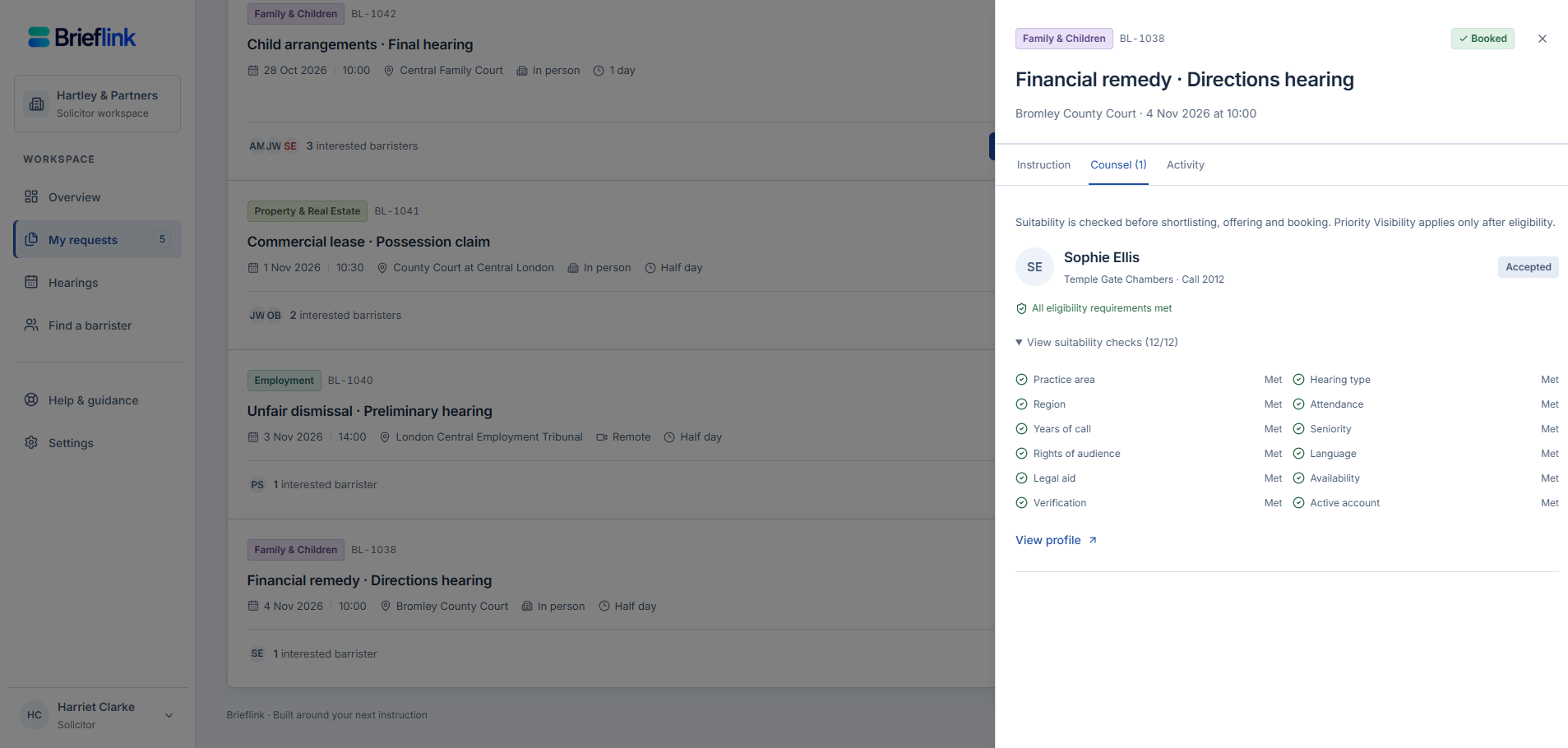
Send a booking offer to shortlisted counsel. The workflow distinguishes an offer from an accepted booking, so you can see where the instruction stands.
Once accepted, the confirmed booking appears alongside upcoming hearings in the workspace.
PRODUCT IMAGE SPACE 4
Accepted booking and upcoming hearings
Recommended: 1600 × 1000 px · 16:10
Use fictional demo data.
A shortlist or offer is not a confirmed booking. Professional relationships and the details agreed for the instruction remain central.
See the steps
in action.
Explore the sample workspace with fictional matters, profiles and bookings. Or request a guided demo for your practice.